7 Best Pictory Alternatives 2026
What are the top video creation tools similar to Pictory? We’ve got seven of the best Pictory alternatives that will help you create engaging, realistic, efficient, and convenient videos.

What are the top video creation tools similar to Pictory? We’ve got seven of the best Pictory alternatives that will help you create engaging, realistic, efficient, and convenient videos.
Pictory Alternatives: Top AI Text to Video Tools
Pick one, try it free, and see the difference for yourself. Here are alternatives to Pictory to check out.
1. Puppetry
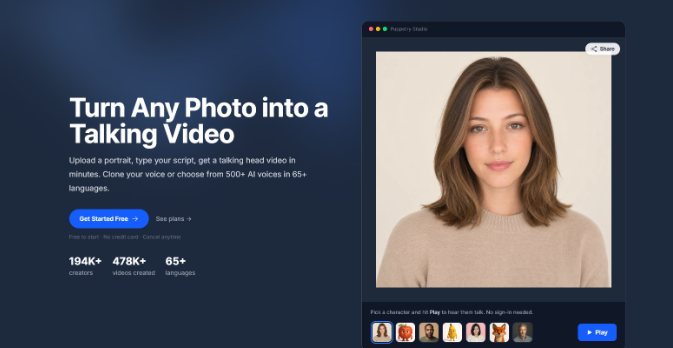
Forget stitching stock footage to a script. Puppetry’s AI-powered video generator tool flips Pictory’s approach to video creation. You only need to upload a single portrait, and Puppetry transforms it into a real talking presenter within minutes.
Type your script (or use Puppetry’s built-in AI script generator) and pick a voice from a library of over 500 options from across 65+ languages. It’ll handle lip syncing and pacing, too.
Remember, a text to video workflow that ends in generic B-roll won’t earn the trust an actual face does, especially if you’re into product explainers or testimonials.
You can even turn a blog post into a finished video, which is especially useful if you’ve been writing long-form content for some time and would want to convert your written pieces into watchable masterpieces.
Pricing stays friendly, too, especially for solo creators. And its free tier is generous enough to test properly before you commit to anything.
2. InVideo AI
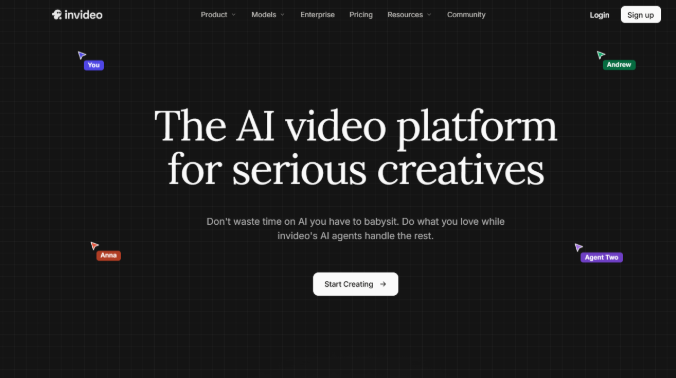
So, what’s the ace of this Pictory alternative? Instead of manual clip-picking, it generates videos based on prompts!
For instance, you can type “60-second explainer for a fitness app,” and it assembles everything, from the script to voiced video from stock footage and text overlays in a single pass.
Editing happens through typed commands instead of a timeline, which is perfect for beginners. However, this feature means longer projects can definitely take a while to render.
You won’t get a built-in AI video presenter here, and that makes InVideo nearly identical to Pictory in this respect.
Still, this platform is great for pure social content and quick vertical clips because it saves time over Pictory’s paste-and-pick workflow. Its template library also covers most common formats.
3. Synthesia
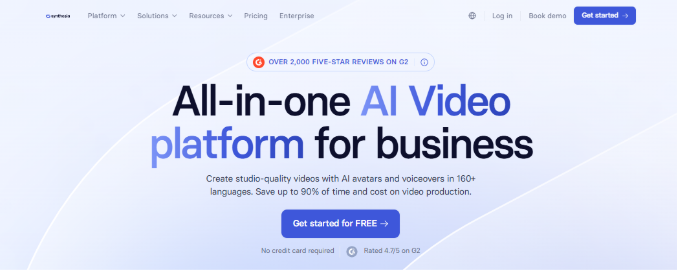
This alternative to Pictory has one job and does it exceptionally well! We’re talking about putting an avatar on screen to read a script!
You select from an impressive collection of stock presenters and paste your training material. Synthesia then creates a refined module complete with clean captions and steady pacing.
No wonder corporate teams, especially those in L&D, love this platform for their onboarding and compliance content. It handles multilingual video exceptionally well. Teams can even export finished lessons straight into an LMS via SCORM.
However, Synthesia isn’t really built for repurposing blog posts into montages the way Pictory is. Its free tier also works more like a demo version than something you can actually publish.
And in a side-by-side comparison with Puppetry (a presenter-first Pictory alternative), this aspect is something you’d want to consider carefully.
4. Fliki

Want the closest like-for-like swap for Pictory’s original idea? That’d be Fliki. You paste a script and choose a voice. Fliki then creates a captioned stock video at a friendlier price than Pictory charges for the same output.
Fliki’s voice cloning tools and library run large, too, which are helpful on projects that need a specific tone or accent that Pictory’s “capped” bank may not cover.
The problem of “sameness” (with videos feeling like the very same ones posted by rival brands) doesn’t fully go away, though, since Fliki’s outputs still rely on stock clips. Also, the level of refinement won’t go any further after some time.
Still, if you want Pictory’s exact workflow without its price tag, Fliki is worth the first look.
5. Descript

This platform solves an entirely different problem, editing footage you already recorded instead of generating a new one from scratch.
It lets you transcribe your video and even delete a clip from a timeline simply by deleting a line of text. And that turns video editing into something closer to writing than clicking through a timeline.
Podcasters and creators of tutorial and informational videos love Descript for this precise reason. Overdub fixes a flubbed line by typing a correction instead of forcing a re-record. Its Studio Sound can clean up rough audio, too.
6. VEED

If you demand fast, accurate captions, this one’s for you. You upload the clip, and VEED instantly generates subtitles. And that makes this AI powered video generator a good choice for teams cutting quick vertical videos all day long.
Its AI avatar exists, too, but stays lightweight (unlike Puppetry’s AI talking head technology). It’s more of an add-on than a core engine built around digital presenters.
While Pictory locks you into its own library of clips, VEED lets you bring any footage and refine it fast without installing a thing on your computer.
Free exports carry a watermark, though, so a free plan might not be a good idea if you’re going to run a full campaign on VEED.
7. CapCut
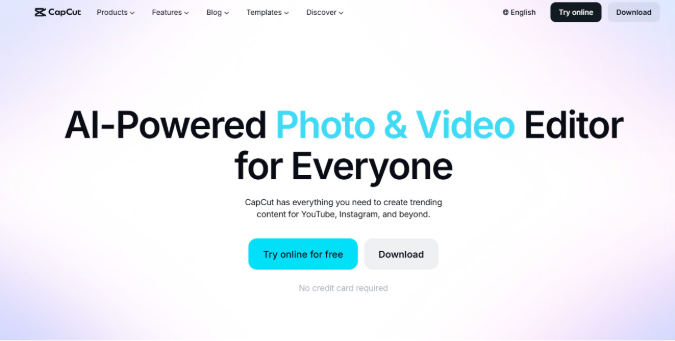
CapCut’s ace? A free plan that’s surprisingly complete! We’re talking about free multi-track editing, keyframe animation, AI voiceover, and even a full 1080p export. That beats Pictory’s capped Starter pack outright on value.
It feels more at home on mobile devices, although its desktop version is ramping up its user-friendliness scores.
While it’s always been known for short-form social media content, the text-to-video generation tool isn’t as specialized for blog-to-video workflows, though. This task will require more manual editing, like choosing visuals.
Still, CapCut is a smart tool for producing high-quality evergreen brand videos using the right editing approach.
It also remains a great alternative to Pictory, especially among creators with tight budgets who don’t mind supplying their own video clips.
Final Words
Pictory remains a reliable platform for converting blog to video fast with a captioned recap of something you already wrote.
However, Puppetry should be your top pick if you want a genuine spokesperson for your clips, not from a stock library.
InVideo and Fliki are great alternatives, too, especially if you want to retain Pictory’s paste-and-generate simplicity.
If it’s for editing footage you already have, pick Descript for podcasts, VED for captions, or CapCut for mobile-first creations.
Pick a few and test your own material again before committing to any plan. After all, free tiers exist for precisely that reason.
Keep reading
More from the blog on the same topic.

Best AI Video Generator for YouTube in 2026
What is the AI video generator in 2026? Learn more here!
Best Synthesia Alternative 2026: AI Video Tools To Try
If you want a solid Synthesia alternative, you’ve definitely come to the perfect spot. Here are AI video tools to try!

Best AI Talking Head Tools 2026
We evaluated the best AI talking head tools for 2026 based on several key attributes, like realism and customization, among others. Our goal? To help you decide which AI talking head video maker fits your workflow and audience (and budget, too!).
Ready to create talking videos that hold attention?
Start with a script, pick a puppet, and share a finished video in minutes. Free to try, no credit card required.