The Best AI Tools for Educators 2026
The best AI tools for educators can actually include an upbeat banana explaining photosynthesis (and of course, a whole lot more!). Learn more here!

Nobody (at least none we know of) grew up dreaming of sitting through countless hours of poorly lit, awkwardly recorded lecture video where the teacher shuffles papers and loses their train of thought halfway through slide three. Sadly, many online learning courses still have this as default. And we’re already halfway in 2026!
Good news? The best AI tools for educators can actually include an upbeat banana explaining photosynthesis (and of course, a whole lot more!).
These tools aren’t just revolutionizing online learning content by saving you endless paperwork. The best ones change how your learners actually experience learning, like Puppetry for educators!
The Problem Nobody Talks About Out Loud
Have you ever felt like, as a teacher, you’re already stretched thin?
Planning lessons, grading learners’ activities, and responding to parent emails (not to mention other administrative duties) have already eaten up most of your time. You simply don’t have time left to be a one-person video production crew.
The moment education moved online, every educator was suddenly expected to moonlight as a YouTube creator or TikToker.
You might already know that e-learning content creation is one of the biggest unspoken burdens in modern teaching.
The tools are either too expensive, too complicated, or require a lighting setup that looks like you’re filming a series in your spare bedroom.
So, What Are These Tools Really?
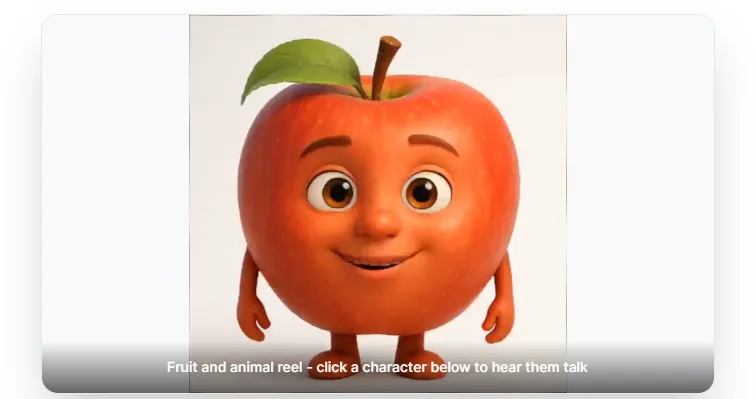
Short version? They’re a 21st century teacher’s dependable teacher-assistants!
Let’s look at Puppetry, for instance. You pick a selfie, a cartoon character, a “banana” you scribbled on the back of a student’s draft progress report, or even an image generated by the AI software on your phone.
Next, type your lesson script (or let Puppetry’s built-in script generator like you would in creating engaging YouTube scripts). Now make your banana talking head video talk your “voice” (Puppetry has over 500 of them), including the language you want your lessons to be delivered in (Puppetry covers that too with at least 65)!
Wait a few minutes (often depending on how lengthy your lesson script is) and your AI education video is ready to import to Canvas, Moodle, Google Classroom, and wherever your students live (digitally, of course!).
You’ll never worry about cameras, ring lights, video editing software, expensive voiceover actors, and even 4-hour recording sessions.
Sure, this whole AI puppets for eLearning thing sounds a little gimmickry at first. However, you must realize that a 3D animated talking banana with a happier-disposition-than-Woody the Cowboy explaining multiplication grabs (and retains!) a 7-year-old’s attention longer than a static PDF!
Does It Really Matter?
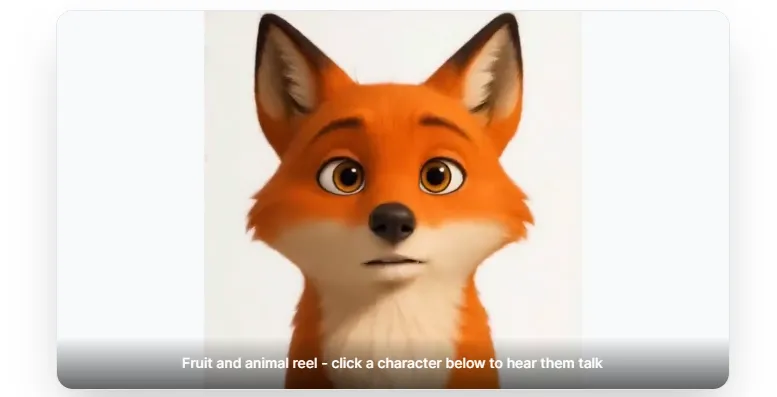
Multilingual education is one of the biggest unsolved headaches in school systems worldwide. Your class could be comprised of learners whose first languages can come from half a dozen countries.
Creating the same lesson in multiple languages means hiring translators and sourcing voice actors. More importantly, you’ll burn through whatever small budget is left after buying whiteboard markers.
The best tools like Puppetry let you build the lesson once and spin out versions in Spanish, Arabic, Mandarin, Hindi, and 60+ other languages using the SAME video!
The result? You’re effectively closing a gap that has left a lot of students behind!
And then there’s the angle on accessible learning content. Some of your learners struggle with text-heavy materials.
The answer? Go with something very visual (like the happy face of a banana) to deliver your lesson. An AI video generator for educators lets you make learning more interactive for your students.
These Tools’ Underrated Feature: Fast Updates
Course content changes. Even textbooks get revised. Educational policies also shift. So, updating a recorded lecture often means blocking out time to set up again, re-record, re-edit, and re-upload.
You can complete all these things (editing, publishing, etc.) in minutes with the best AI-powered tool for teachers. Not days!
So, What’s the Best AI Tools for Educators Right Now?
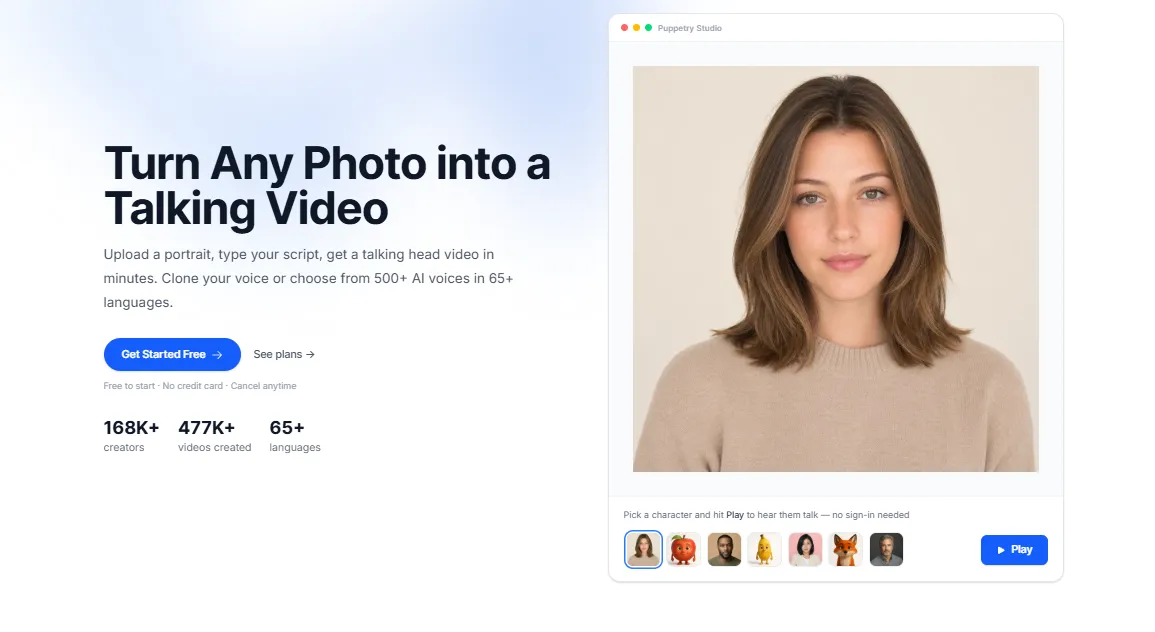
The top AI tools for teachers fill a specific (and generally underserved) niche. For example, Puppetry focuses on visual, video-based instruction without the costly overhead of a full-blown production.
We must reiterate, these tools (like Puppetry) aren’t trying to grade papers or generate lesson plans. Instead, they turn a plain lesson script and your own photo into a pro-looking instructional video (which it does exceptionally well!).
So, if you want your learners to assimilate and retain knowledge, Puppetry should be on top of your list because it lets you combine words, visuals, and audio in a convenient learning package.
Get the Best AI Tool for Educators Today!
We’re not saying AI-powered video content generators for teachers like Puppetry CAN or WILL replace great teaching. Nothing does!
What we’re pointing out is that the best AI tools for educators don’t try to replace teachers. Instead, they remove the friction that gets in the way of great teaching reaching students.
So, give these tools, like Puppetry for Educators, a try. It’s worth ten minutes of your afternoon!
Keep reading
More from the blog on the same topic.
![How to Use AI for Coaching in 2024 [+ 6 AI Tools for Coaches]](/images/how-to-use-ai-for-coaching-I3Mz.webp?dpl=dpl_7J3XGbEMtraHQY7dHBAzXePpwgai)
How to Use AI for Coaching in 2024 [+ 6 AI Tools for Coaches]
Discover how to use AI in your coaching business and leverage its power to scale this year! Read more in this article today!
Best AI Tools for a Productive 2026
The best AI tools have transformed how 21st-century individuals work, create, and solve problems. The question now is which artificial intelligence tools you should pick. Learn more here today!
Best AI Video Generator for YouTube in 2026
What is the AI video generator in 2026? Learn more here!
Ready to create talking videos that hold attention?
Start with a script, pick a puppet, and share a finished video in minutes. Free to try, no credit card required.